The beginning would be with the Extraction of files from the large downloaded file. Next you will find that there is a option to Upgrade because i had MS Office already installed of a older version and hence i could customize this to keep all the previous versions or else upgrade it. The installation process would start, though i felt that it took a long time to install because the progress bar was quite slow in moving and at a moment i did feel to cancel the installation.

MS Office 2010 Install
You will find a list of programs installed on your computer, in the Start>All Programs section. The following screenshot can give you a idea on this.
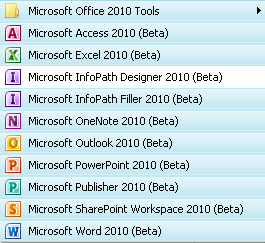
Ms Office 2010 Programs
Here are few screenshots of MS Office Word, Excel, Powerpoint & Infopath Designer.

Source:- amitbhawani.com

No comments:
Post a Comment